Midnight-era World of Warcraft cinematic scene
For Retail and WoW: Forever

Less clutter,
more horizon.

Seven modules that work together, in one download for Midnight and WoW: Forever.

175,868
Downloads
285
Discord community
7
Modules
MIT
Free & open
Midnight
The modules

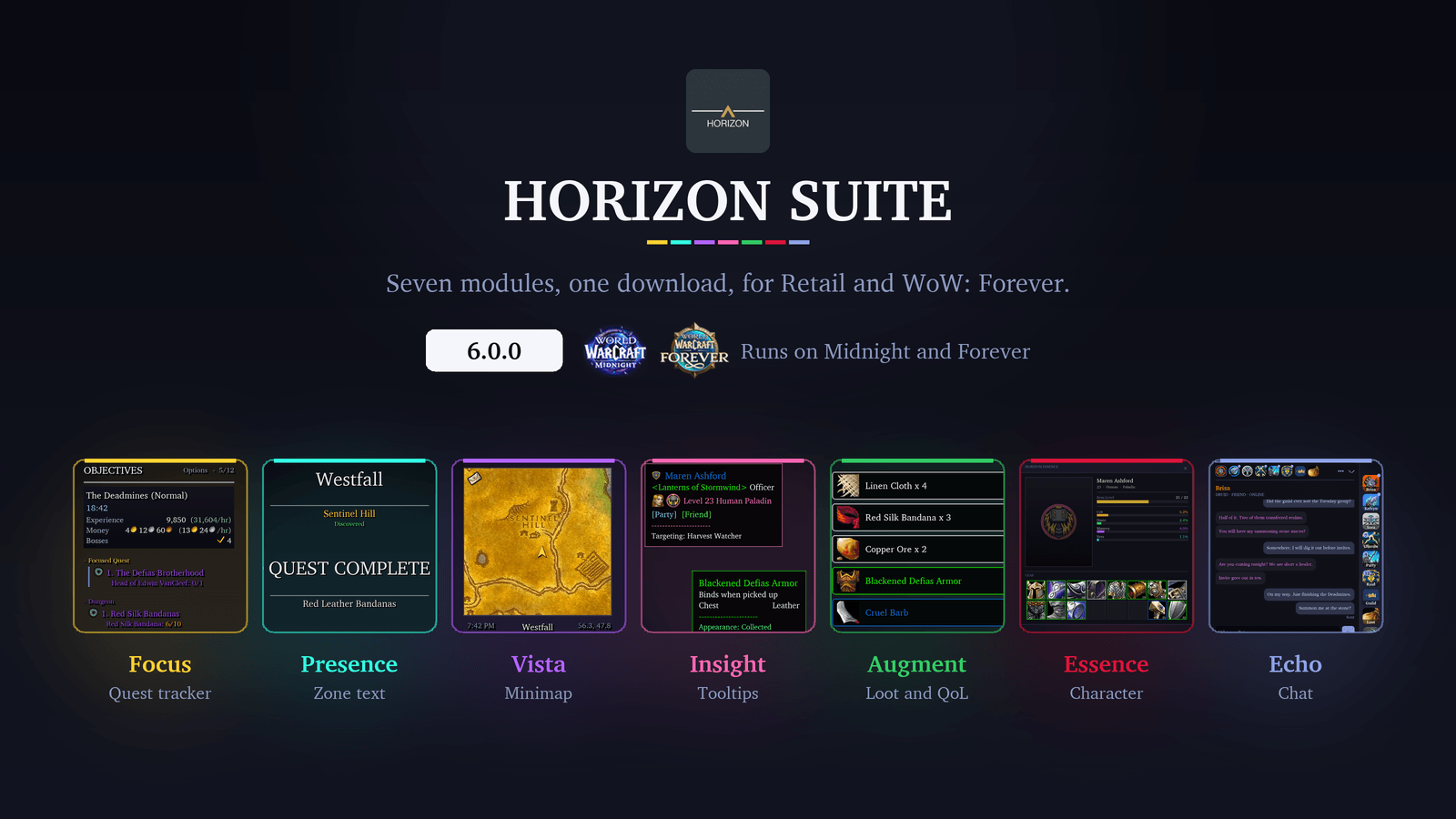
Seven modules. One options panel.

Each replaces a piece of Blizzard's default UI with something cleaner that you control. Axis manages them together, and you can switch off any you don't need. The same download runs on Retail and WoW: Forever, and hides settings for systems your client doesn't have.

Mockups rendered from the addon's own code, set on WoW: Forever. Vista's terrain and Essence's model area are stand-ins.
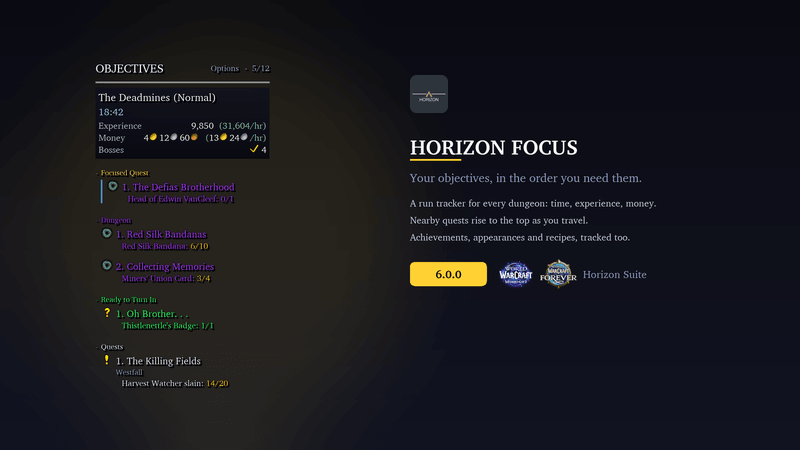
Horizon Focus in a mockup of the Deadmines: the objectives list groups a focused quest, the dungeon's quests, a quest ready to hand in and the rest, under a run banner showing 18 minutes 42 inside, 9,850 experience at 31,604 an hour, money per hour and 4 bosses down.
LiveReplaces the objective tracker

Focus

Your tracker shouldn't need babysitting. Quests sort themselves: the one you're focused on, the dungeon you're in, what's ready to hand in, then everything else. Inside a dungeon, a run banner shows your time and the experience and gold you're earning per hour. Achievements, appearances and recipes sit inline too, plus Mythic+ and Delves on Retail.
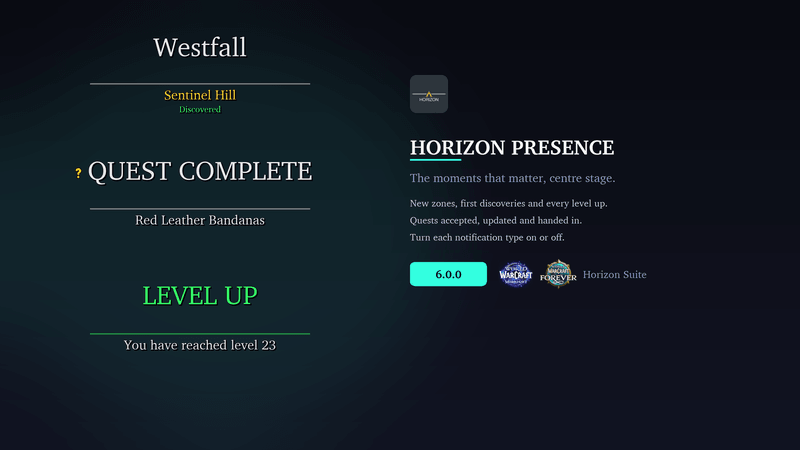
Horizon Presence banners in a mockup: Westfall with Sentinel Hill discovered, a Quest Complete banner for Red Leather Bandanas, and a green Level Up banner reading you have reached level 23.
LiveReplaces zone text & banners

Presence

Blizzard's zone text does the job. Presence makes it feel like a moment: new zones, discoveries, quests and level ups each get a styled banner, and level ups skip the queue. Turn any type off and Blizzard's own version comes back.

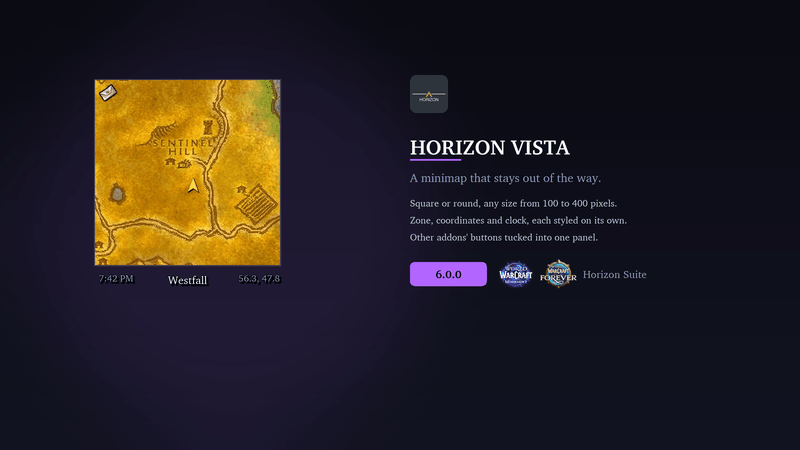
Horizon Vista in a mockup: a square minimap of Westfall around Sentinel Hill, with the clock at 7:42 PM, the zone name and coordinates 56.3, 47.8 in a strip underneath. The map terrain is Wowhead's Classic world map standing in for minimap art.
LiveReplaces the minimap

Vista

A minimap that fits your UI. Square or round, anywhere from 100 to 400 pixels, with its own zone name, coordinates and clock. Other addons' buttons gather in one tidy panel instead of ringing the map.

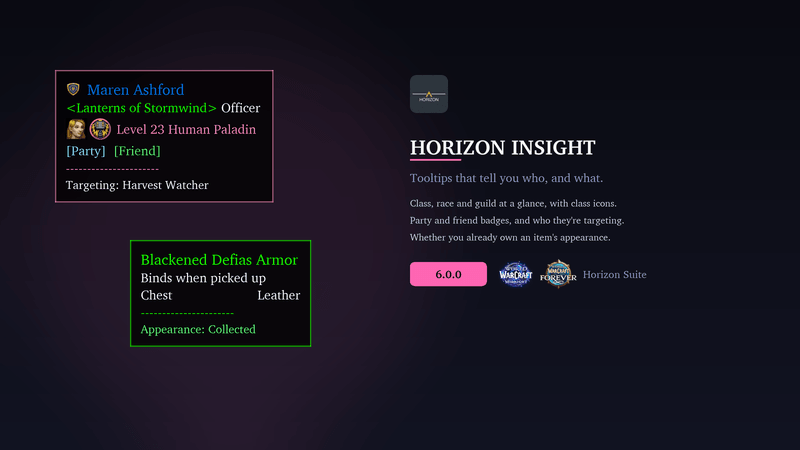
Horizon Insight tooltips in a mockup: a player tooltip for Maren Ashford, Officer of Lanterns of Stormwind, a level 23 Human Paladin with class and race icons, party and friend badges, and targeting Harvest Watcher; beside it an item tooltip for Blackened Defias Armor ending in Appearance: Collected.
LiveReplaces item & player tooltips

Insight

Tooltips that tell you who you're looking at: class and race with their icons, guild, and badges for party, friends and who they're targeting. On Retail you also get spec, role and hero talent. Item tooltips say whether you already own the appearance.

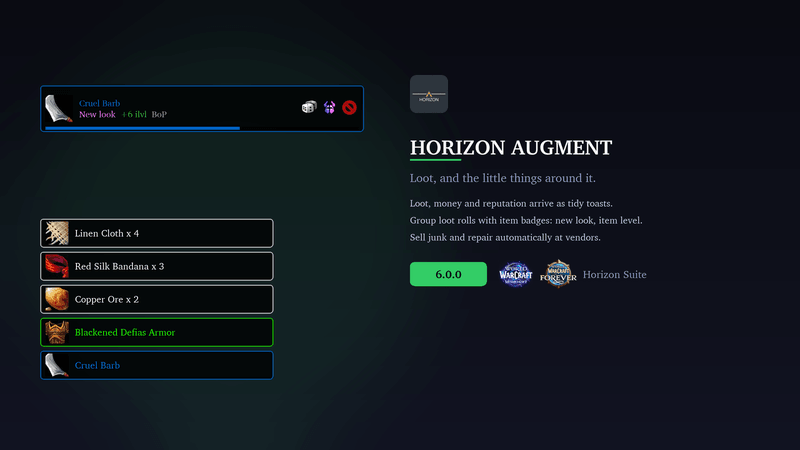
Horizon Augment in a mockup: a group-loot roll frame for Cruel Barb marked new look, plus 6 item levels and bind on pickup, above a stack of quality-coloured loot toasts for Linen Cloth, Red Silk Bandana, Copper Ore, Blackened Defias Armor and Cruel Barb.
LiveReplaces loot toasts & roll frames

Augment

Loot that deserves to be seen. Loot, money and reputation arrive as quality-coloured toasts, with extra shine for epics and legendaries. Optional roll frames show whether a drop's appearance is new to you and how it compares with what you're wearing, and Augment can sell junk and repair at vendors.

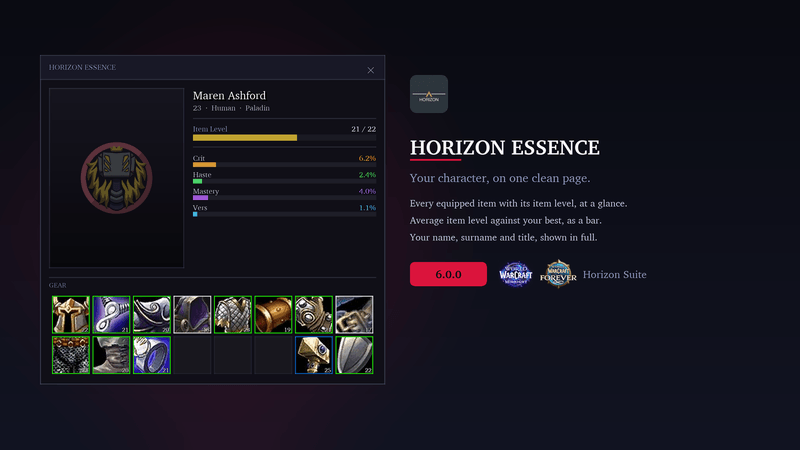
Horizon Essence in a mockup: a character panel for Maren Ashford, level 23 Human Paladin, with an item level bar reading 21 of 22, stat bars, and a two-row gear grid showing each item's level and quality. The model area holds a placeholder crest.
PreviewReplaces the character panel

Essence

Your character on one clean page. Every equipped item sits in one grid with its item level and quality, a bar compares your equipped item level with your best, and your name shows in full with surname and title. Essence is in preview: switch it on under Axis → Modules.

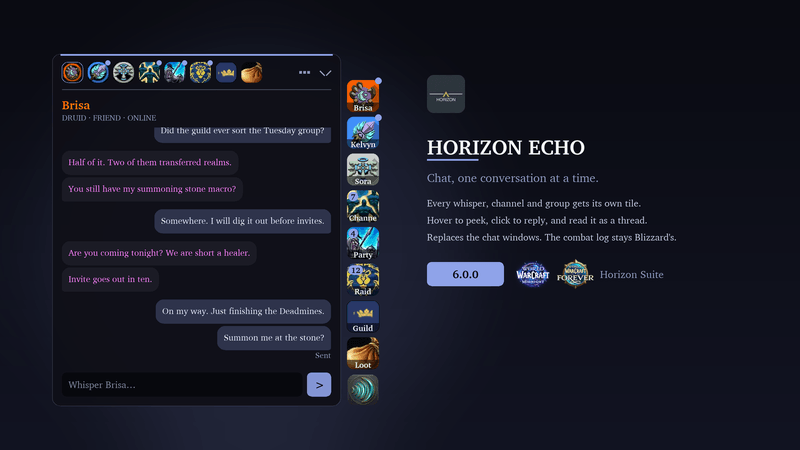
Horizon Echo in a mockup: a whisper thread with Brisa, a Druid friend, open beside a column of conversation tiles for Brisa, Kelvyn, Sora, channels, party, raid, guild and loot, with unread counts on the channel, party and raid tiles.
New in 6.0.0Replaces the chat windows

Echo

Chat, one conversation at a time. Each whisper, group and channel gets its own tile at the edge of your screen: hover to peek and reply, or click to read it as a thread. Whispers and guild chat carry over between sessions, and the combat log stays Blizzard's. Echo starts switched off: turn it on under Axis → Modules and reload.

Built in public

Shipping in the open.

Maintained by Chris and a growing list of contributors. Feature requests and bug reports shape every release, all on GitHub and all MIT.

Latest changes —
Loading releases…